.png)

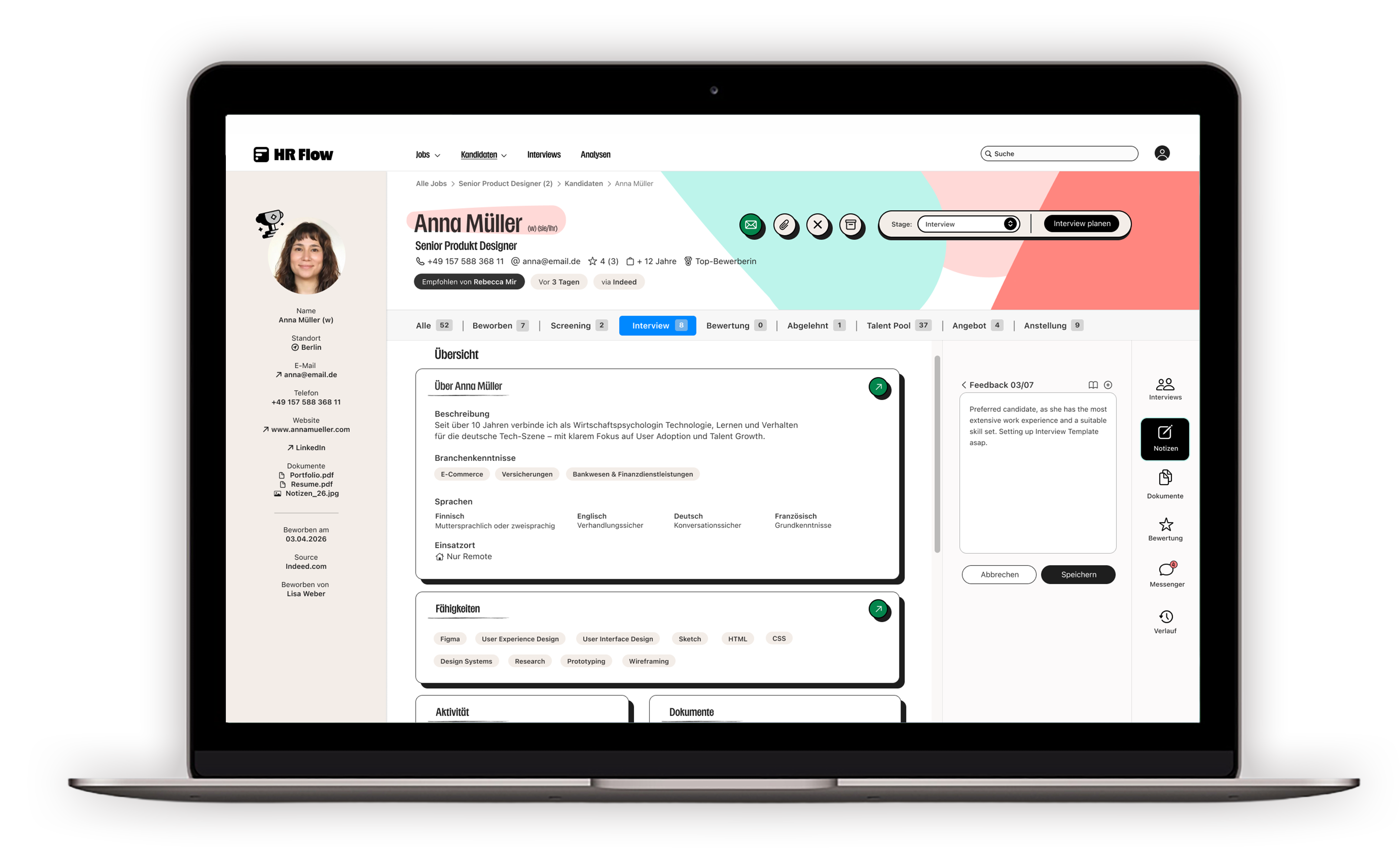
Recruiting involves many individual tasks: managing positions, reviewing applications, organizing interviews, gathering feedback, and documenting decisions.
When this information is scattered across various areas and tools, it can be difficult to keep track of the entire application process.
My goal was to develop a clear workspace that helps recruiters keep track of ongoing application processes and make informed decisions quickly.
My central question for the design was:
How can a recruiting workspace be created that clearly structures complex application processes and supports recruiters in their day-to-day decision-making?
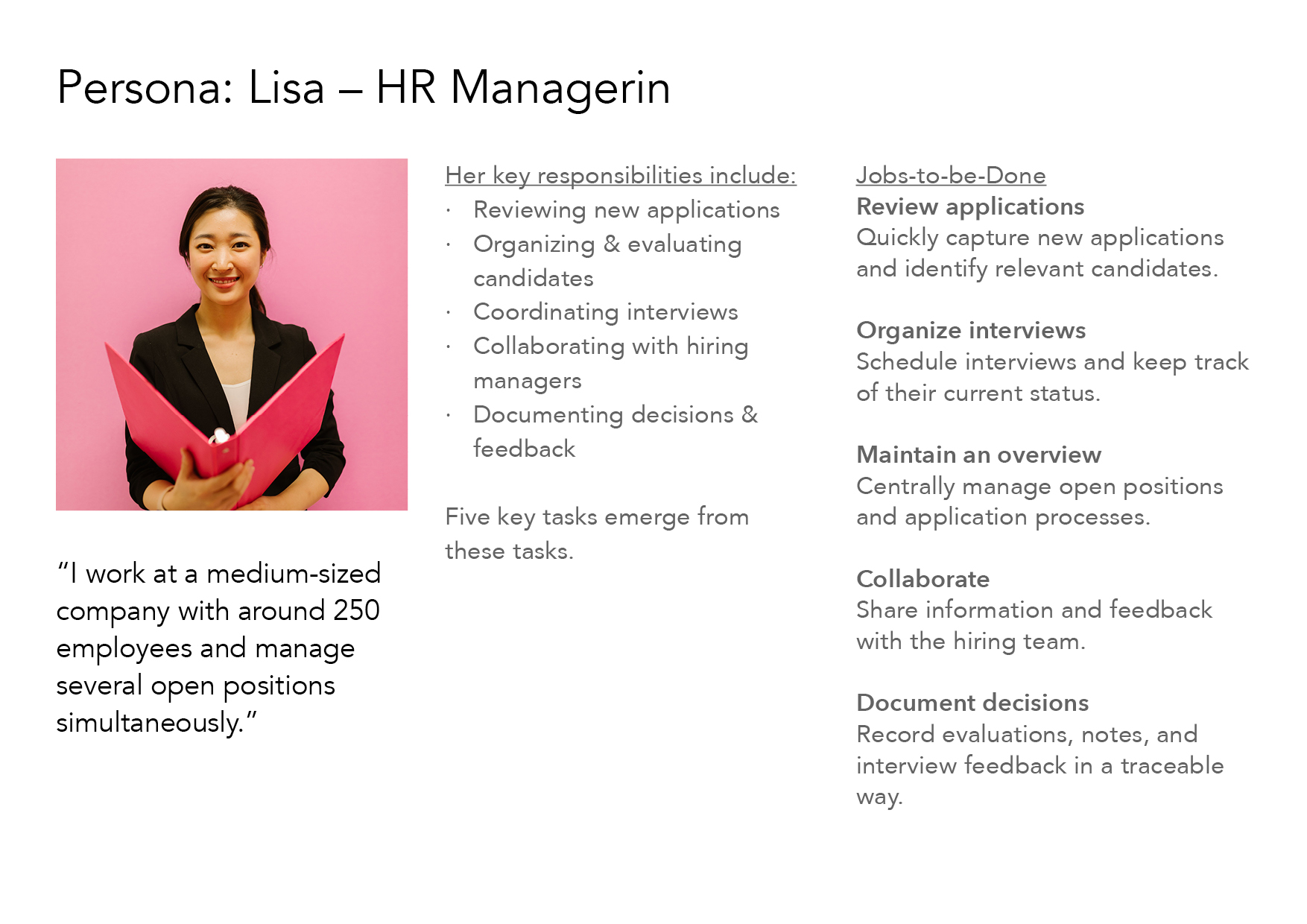
I have defined HR managers and recruiters in small and medium-sized enterprises as the primary user group and worked out one Persona (Lisa - HR Managerin) that my product tried to solve problems for. For a better understanding of her needs in everyday work life as a human resources manager, I developed 5 key responsibilities and her main Jobs-to-be-Done.
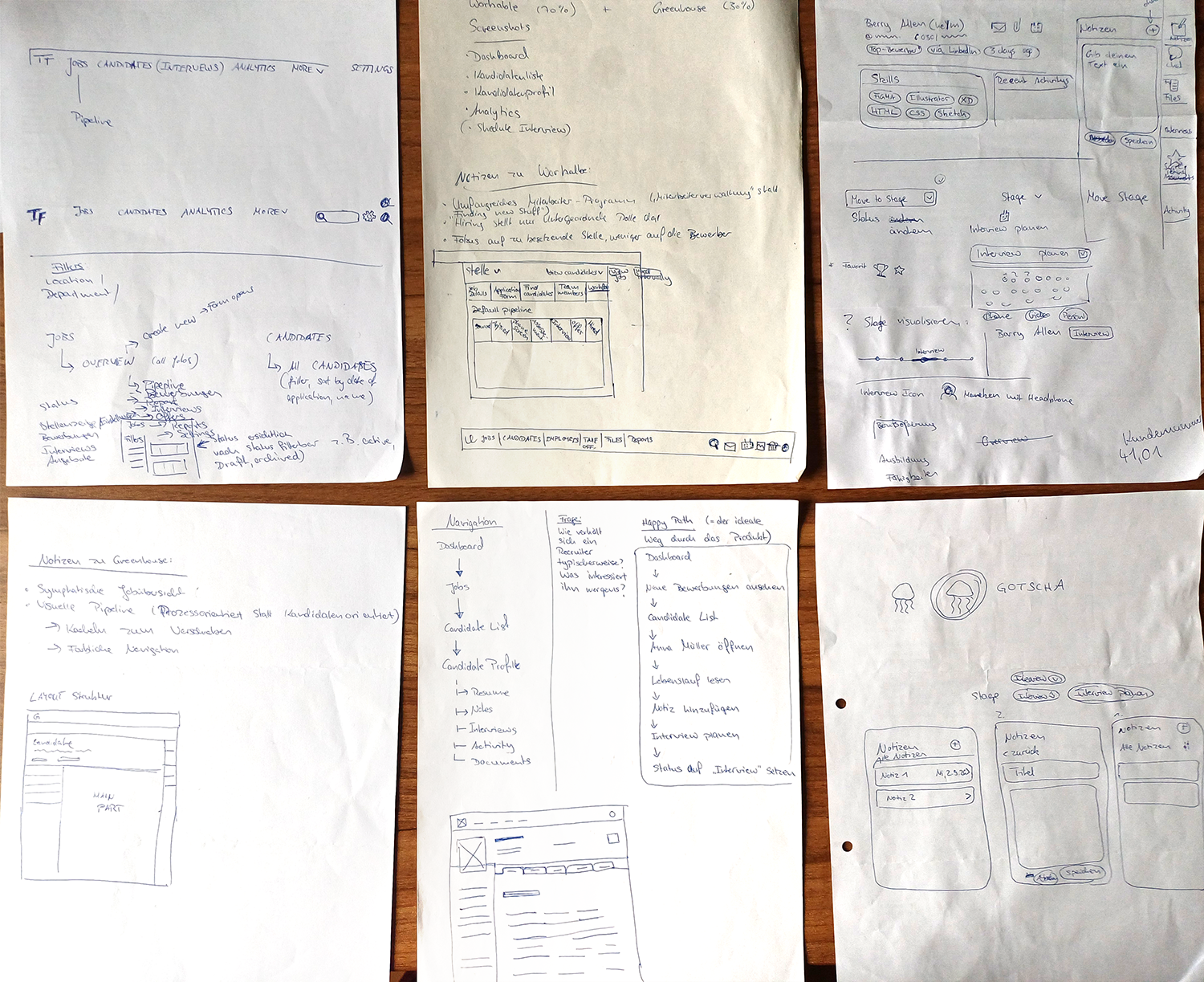
Before designing individual screens, I first defined the key content and relationships within the product.
Core areas:
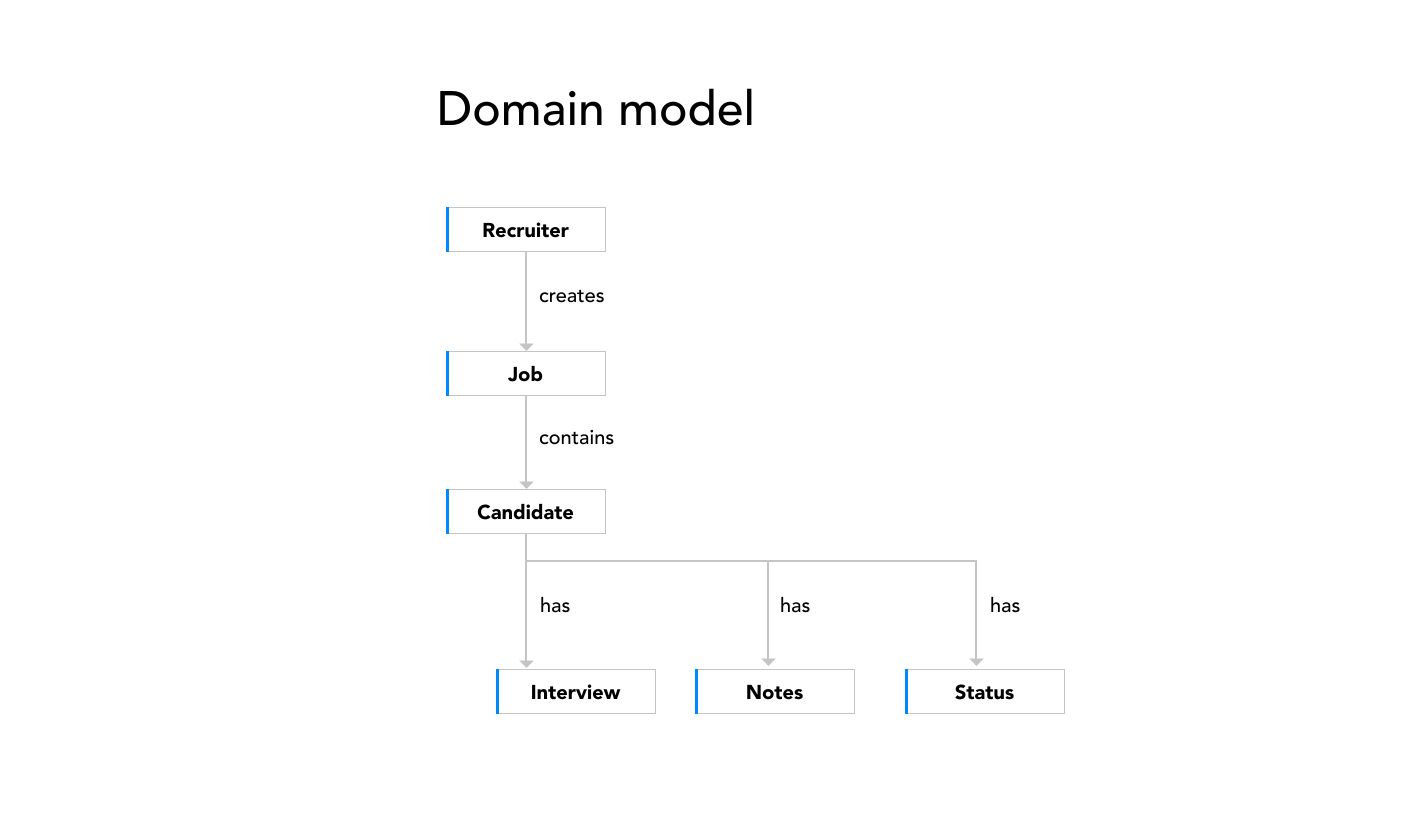
This results in a cohesive application process, which forms my basis of the recruiting workflow and the Job Pipeline:

RECRUITING WORKFLOW
Based on this application process, I wanted to define the phases of the recruiting workflow, which should also result in a visual hiring funnel later on.
I have defined the following stages that candidates can be in during the application process and what actions users can perform there:
A candidate is always in exactly one phase of the recruiting process. Users can change the stage using a drop-down menu.
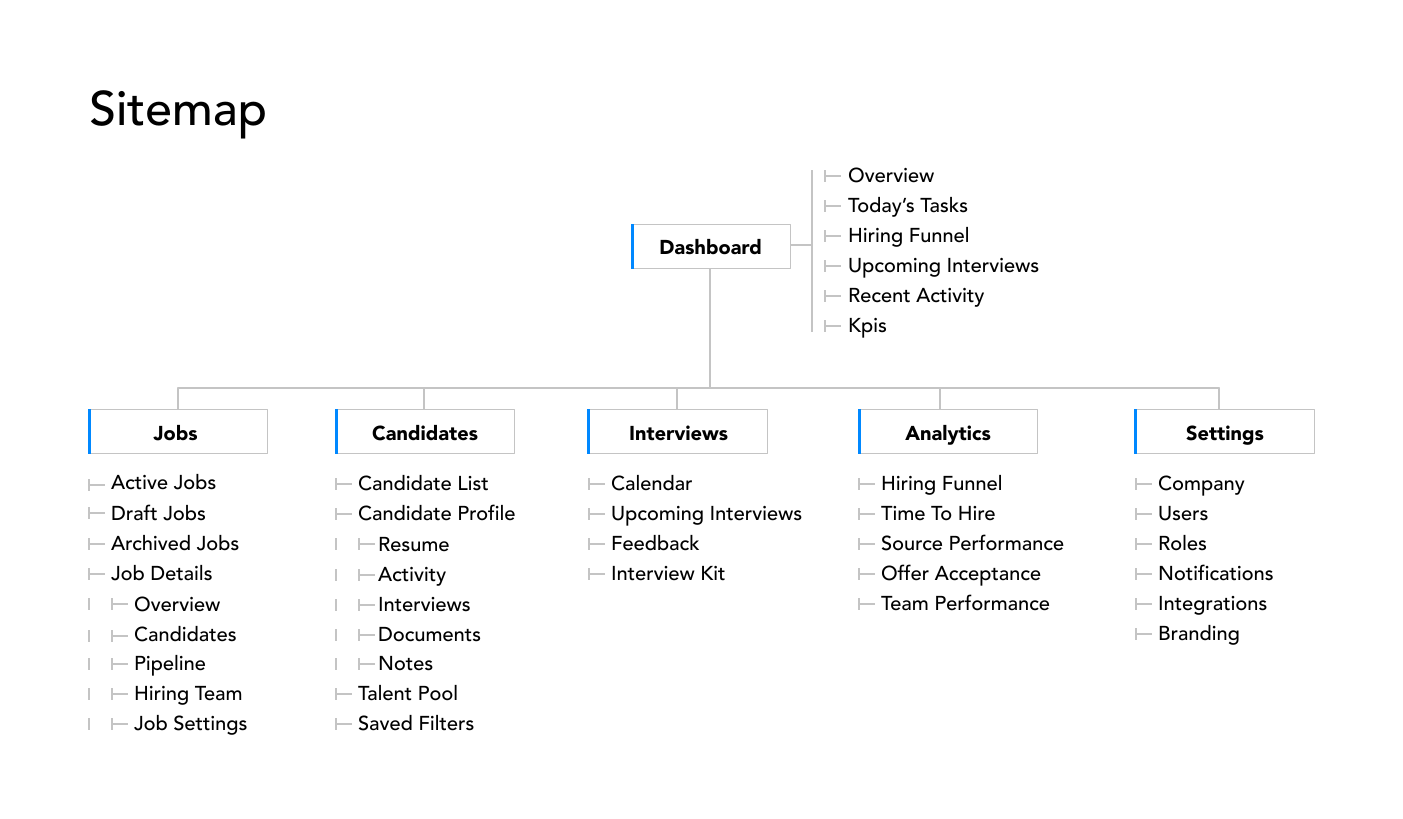
This structure formed the basis for the subsequent information architecture, sitemap and user flows.
Main Navigation:
To create a warm and approachable environment and to foster an enjoyable recruitment process, I have employed various stylistic elements in the visual design.
The following elements in terms of design have been defined:
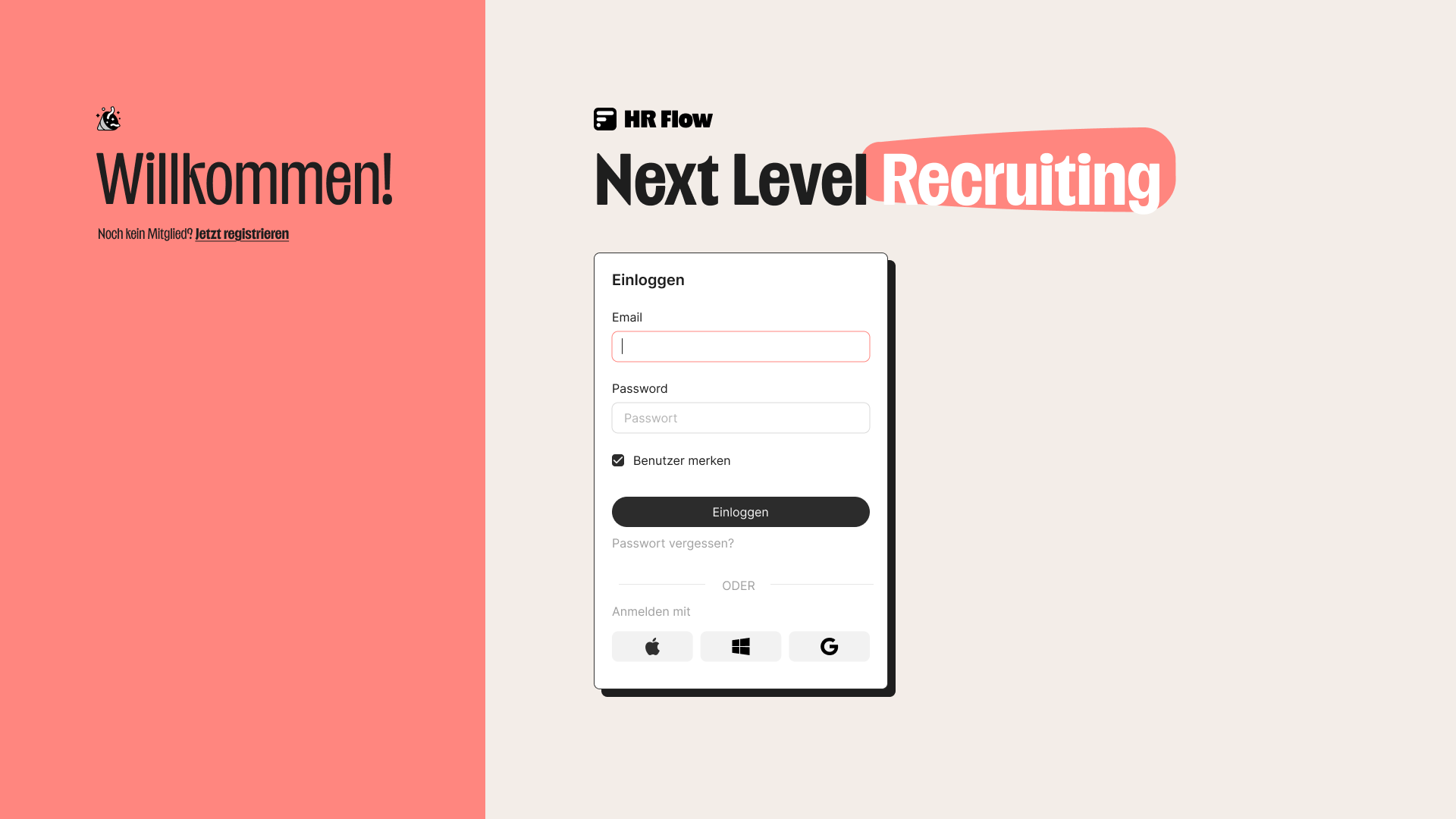
Login or register account
Users would log in using email, password, Apple, Windows and Google or fill in a simple sign up form to create a new account.
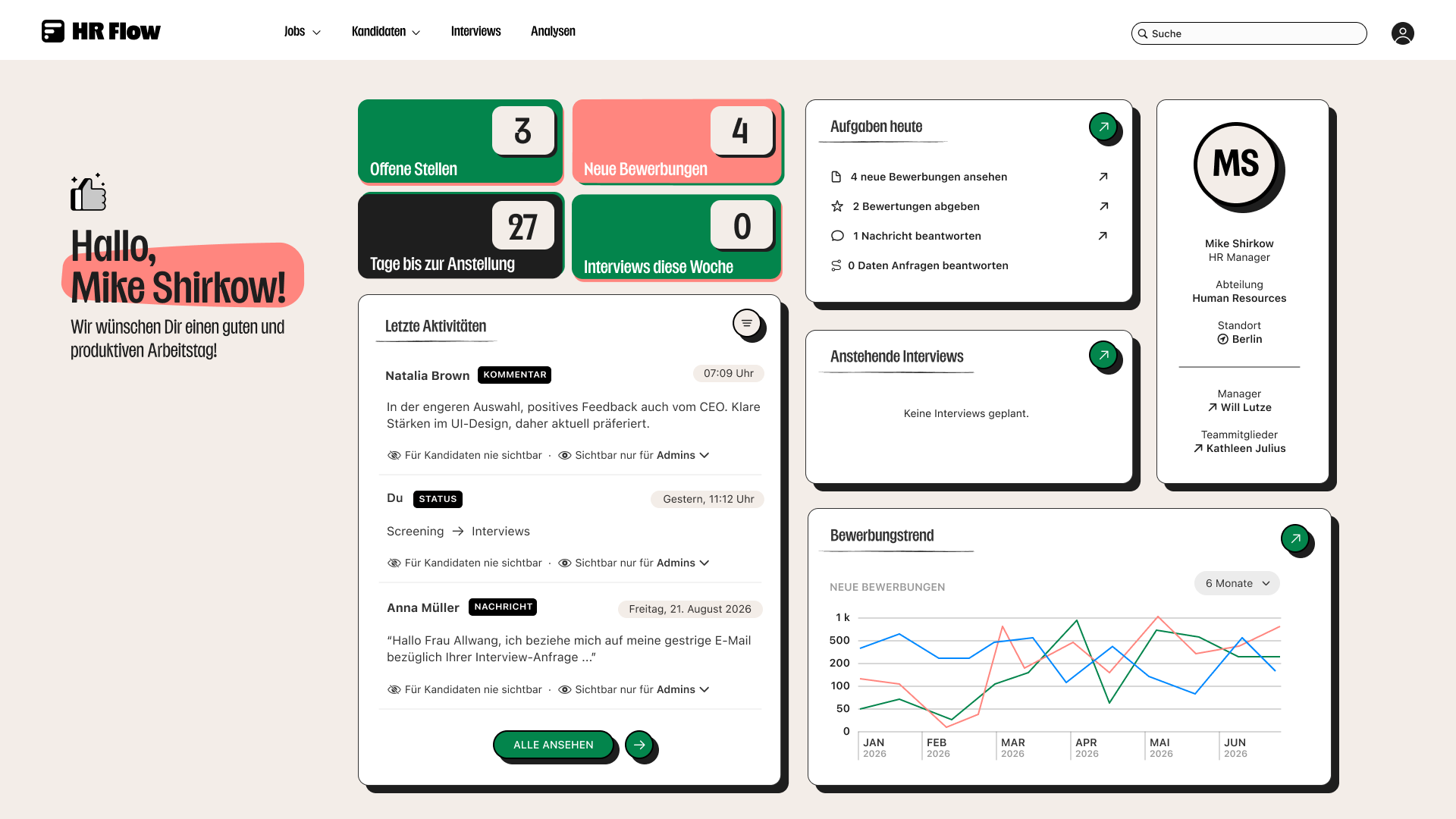
Dashboard
Users get a summary of their today's tasks, KPI-Cards, can see recent activities, personal informations and an excerpt from the statistics. They have to ability configure the widgets displayed on their dashboard.

Candidate list
A list of all applicants, regardless of the job for which they applied. Users can search for specific candidates by keywords or filter the list by Job, Location, Department, State, Tag, Experience or choose more filters.

Candidate profile
It centralizes all information and activities related to a candidate and allows recruiters to easily access important actions, like moving the candidate to another stage, with the ultimate goal of being able to make decisions in the application process faster and more easily. Users can quickly view next stages with the job pipeline and using the side panel to schedule interviews, create notes, access important documents like CV, submit assessments, communicate with the team and see recent activities.
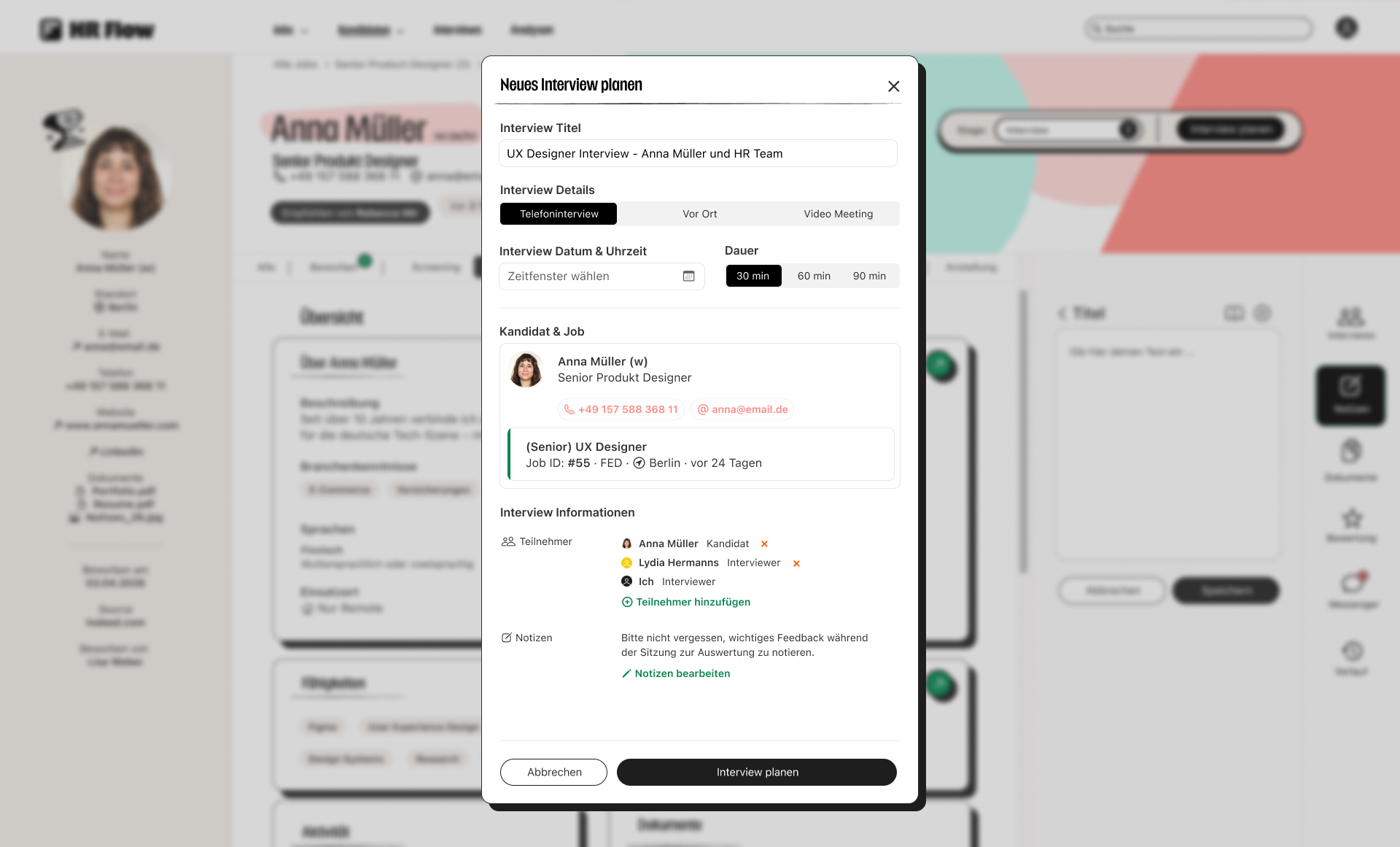
Scheduling Interviews in a Lightbox-Pop-up
User would define the type of appointment, set date, time and duration. They can add participants and edit notes. There will also be a brief summary of the candidate and the applied job.
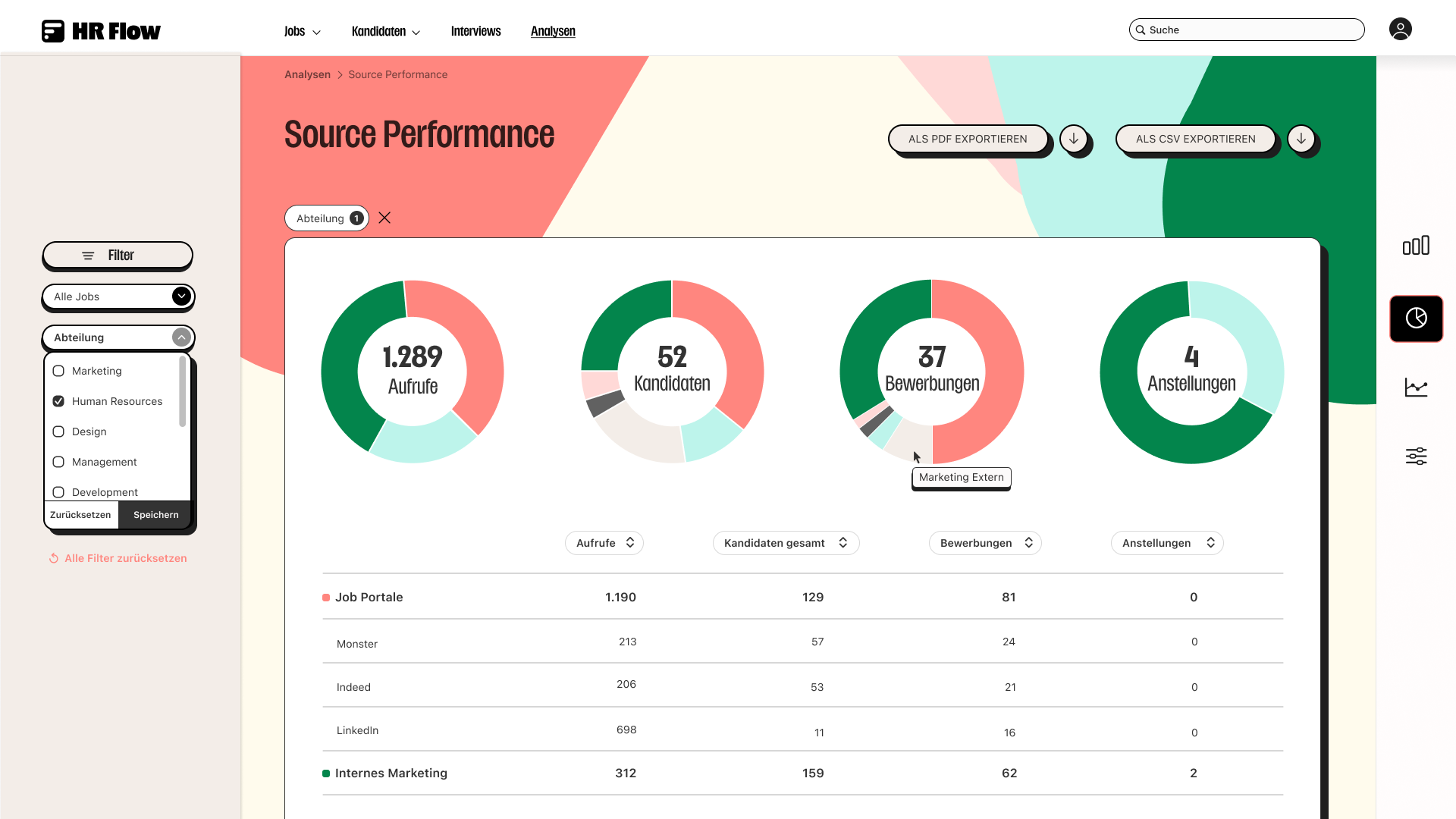
Analytics Center
Companys can build their own view of hiring data to optimize their recruiting strategy and filter the reports by various parameters. They have the ability to see a self-chosen data visualization of their reports such as Application Trend, Source performance, Time to Hire, Current Pipeline or Hiring Performance.